Utiliser votre compte Goalify via l’accès web
Vous avez créé votre compte Goalify dans l’application mobile ? Découvrez ici comment utiliser l’accès web Goalify avec le même compte.
Vous avez créé votre compte Goalify dans l’application mobile ? Découvrez ici comment utiliser l’accès web Goalify avec le même compte.
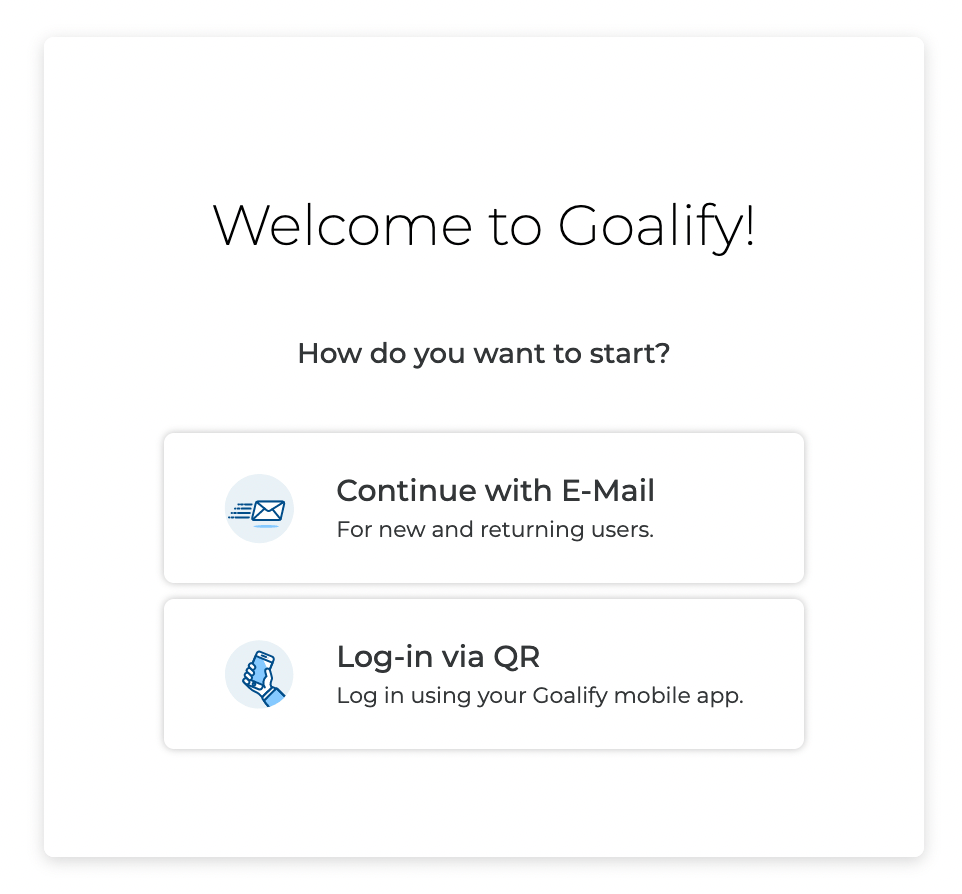
Ouvrez votre navigateur web et rendez-vous sur app.goalifyapp.com
Utilisez l’option Continuer avec un e-mail.
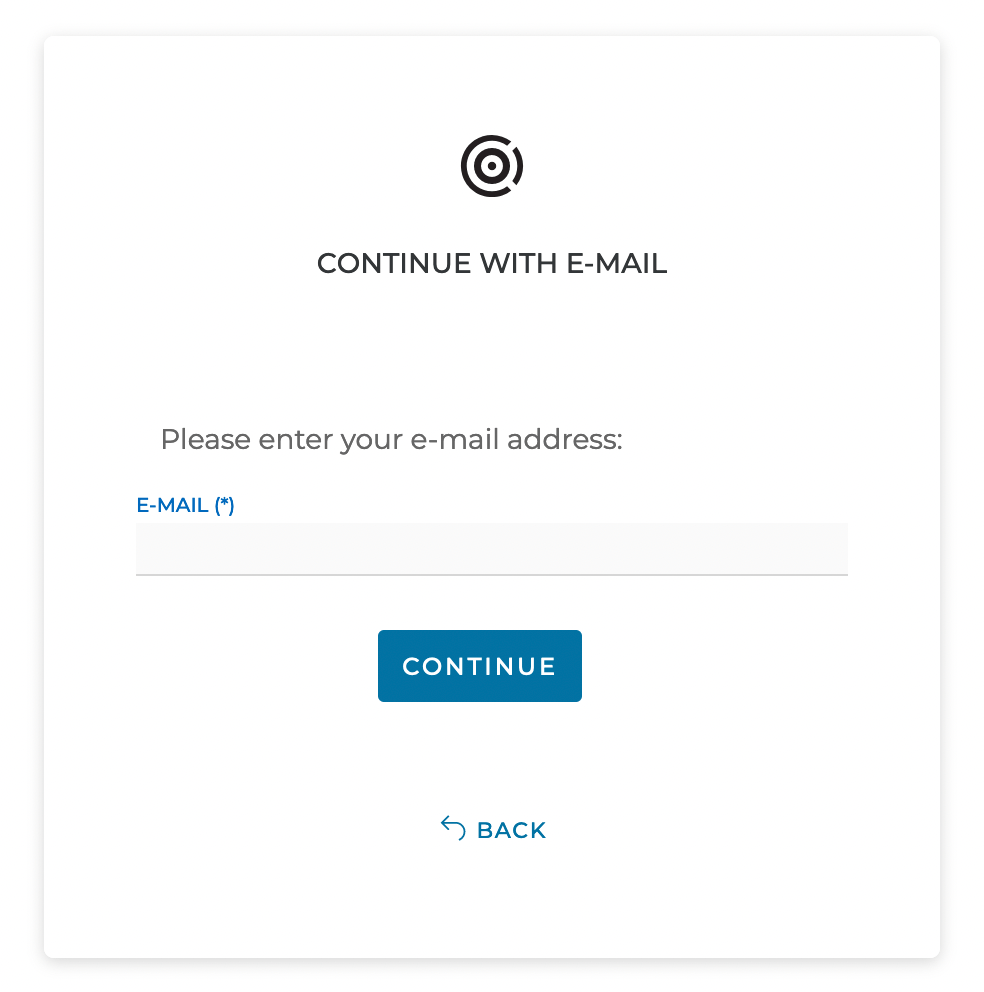
Saisissez maintenant l’adresse e-mail utilisée pour créer votre compte Goalify, puis cliquez sur le bouton Continuer..
Cette étape ne s’affiche pas si votre compte est déjà enregistré.
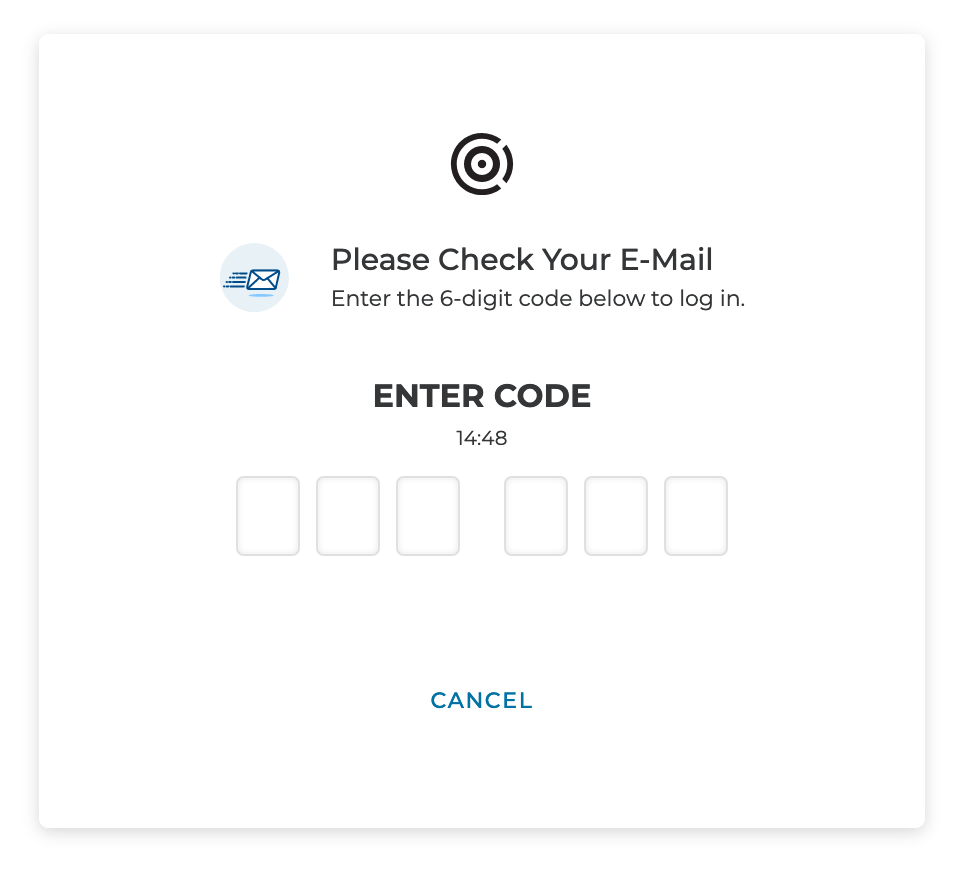
Saisissez le code reçu par e-mail.
Si vous ne recevez pas d’e-mail, pensez aussi à vérifier votre dossier spam. Nous envoyons tous nos e-mails depuis hello@goalifyapp.com.
Vous êtes maintenant connecté(e) avec votre compte Goalify, et toutes vos données restent automatiquement à jour.
We love to hear what drives you and how we can help. Please get in touch for any questions you may have. We typically reply within 24 hours.
We love to hear what drives you and how we can help. Get in touch for a free 1-on-1 consultation and demo. We typically reply within 24 hours.
Nous utilisons des cookies sur notre site web. Certains sont nécessaires au fonctionnement du site, tandis que d’autres nous aident à améliorer notre offre en ligne. Vous pouvez accepter les cookies non essentiels en cliquant sur le bouton « Accepter tous les cookies ». Cela nous aide beaucoup !
Une partie des données collectées sur ce site web est traitée aux États-Unis par Google ou Facebook. Si vous acceptez tous les cookies, vous consentez également, conformément à l’art. 49, al. 1, let. a du RGPD, au traitement de vos données aux États-Unis. Selon les critères de l’Union européenne, les États-Unis sont actuellement considérés comme un pays n’offrant pas un niveau de protection des données suffisant. Il existe notamment un risque que vos données soient traitées par les autorités américaines à des fins de contrôle et de surveillance, éventuellement sans recours effectif. Si vous cliquez sur « Accepter uniquement les cookies nécessaires », la collecte et la transmission des données décrites ci-dessus n’auront pas lieu.